The official TV Time import
that keeps everything.
Hobi is the official migration partner for TV Time users. TV Time has shut down and deleted every account and everything in it. If you saved your export file, nothing is lost. Import it into Hobi in one go: history, watchlist, movies, even the ratings other importers throw away. The most complete TV Time migration, free, with no ads on any plan and your watching data never sold, from two independent developers who love TV and film.
Loved & featured by
“I personally like Hobi the best.”
“One of the most popular and comprehensive tracking apps out there.”
“For TV shows, Hobi seems to be a favorite.”
“Hobi is a great alternative to TV Time.”
“A beautifully designed app that looks slick on both Android and iOS.”

TV Time's export portal went offline when the service shut down, so a new export is no longer possible. If you saved your ZIP before then, that file is all you need and it does not expire. Hobi reads it as is, ratings included.
No hidden menu.
No premium gate.
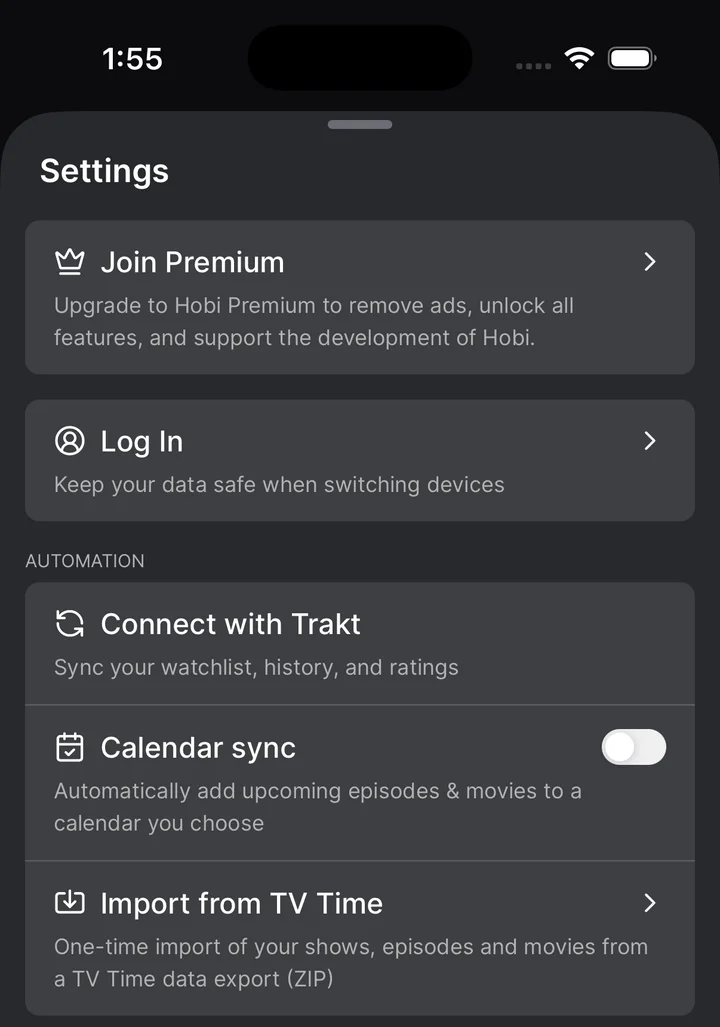
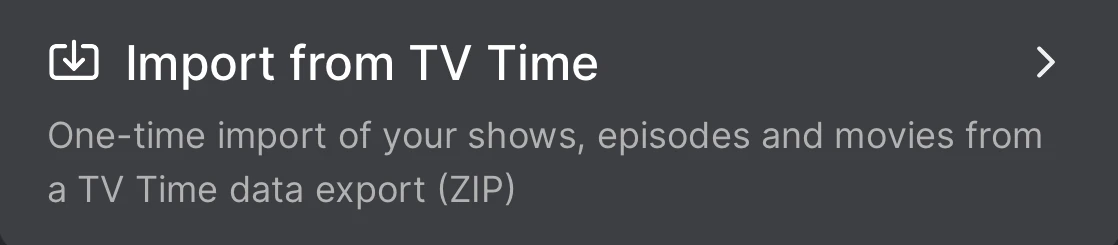
The importer sits right in Hobi's Settings. Tap Import from TV Time, pick the export ZIP you saved, and it does the rest: matches your shows and movies, brings your history, watchlist and ratings across, and ends with a report of everything it moved.
It ends with a report.
Ratings accounted for.
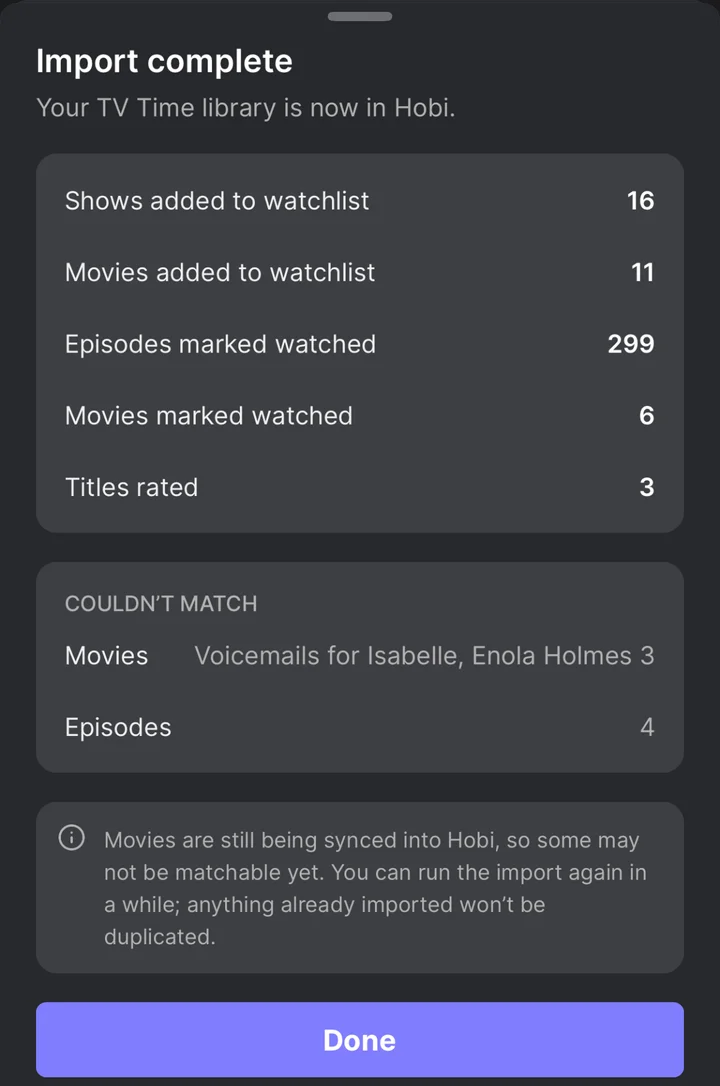
When the import finishes, Hobi shows you exactly what came across: shows and movies on your watchlist, episodes marked watched, and the ratings other importers drop. And if a title could not be matched, it tells you straight instead of leaving you to notice on your own.
How the move works
1. Find your saved TV Time export
Locate the export ZIP you downloaded from TV Time before it shut down (check your Downloads folder and your email). TV Time's portal is offline, so this file cannot be re-requested. That file holds your entire history, your watchlist and your ratings. Treat it like the backup it is. Full walkthrough in our export guide.
2. Get Hobi, free
Download Hobi on iOS or Android. Free to download and use, with the one tap episode marking, statuses, calendar and reminders you are used to.
3. Import it, in one go
Open Settings, tap Import from TV Time and pick your export ZIP as is. History, watchlist, movies and ratings come across in one go, report included. Step by step in move your TV Time history, full story in the launch announcement. Prefer Trakt sync? Works too, two-way.
What survives the move
| What you keep | Hobi | Trakt | JustWatch |
|---|---|---|---|
| Your ratings | Imported with your history | Dropped on import | Not imported |
| Your movies | Imported | Shows only | Imported |
| Episode tracking | One tap, built around it | Yes | Basic seen markers |
| Getting your data out later | Two-way Trakt sync | Open API | No export |
The long versions: Hobi vs Trakt · Hobi vs Simkl · Hobi vs Serializd
Ready when your export is.
Everything you're about to shop around for
The checklist TV Time users actually care about, and where Hobi lands on each.
One tap episode marking
The thing TV Time nailed. Every show in your watchlist surfaces its next episode, and one tap checks it off. No menus, no digging.
Your ratings, kept
Your ratings are part of your history, and Hobi's import brings them across. Most popular migration paths quietly drop your ratings on the way in. Hobi keeps them.
Movies too
Shows and movies in one tracker, including the movie history in your TV Time export. Some destinations take your shows and leave your movies behind.
A calendar that has your back
Countdown to every next episode and season premiere, with reminders for the shows you choose. Knowing when something comes back is half the job.
Real show statuses
Watching, On hold, Dropped, Plan to watch. A paused show leaves your calendar without erasing your history.
Never trapped again
The lesson of this month: a tracker you can't back up is a tracker you can lose. Hobi syncs two-way with Trakt, an open standard, so your data stays yours. Built by two independent developers, self funded, ten years and counting.
Moving questions, answered
Yes, Hobi's TV Time importer is live: open Settings in the app and tap Import from TV Time. Upload the official export file you saved from TV Time's portal, as is, and the migration tool automatically matches your shows and movies and brings your whole history across in one go: viewing history, watchlist, movies and ratings. Prefer Trakt? Two-way sync works too. Questions along the way? Ask us directly on r/hobi, we answer daily.
If you saved your export file, nothing is lost. The file keeps working forever, and you can import it whenever you are ready, next week or next year. Already have yours? See what to do with your saved ZIP. If you did not export before the shutdown, the data cannot be recovered. TV Time deleted the accounts and took the export portal offline, so there is no way to request one now.
Yes. Your reactions and ratings are stored in your export file, and Hobi's import brings them across. Most popular migration paths quietly drop ratings on the way in. Hobi keeps them. The full answer is in does Hobi keep your TV Time ratings.
No. TV Time shut down on July 15, 2026 and its export portal went offline with it, so there is no way to request a new export. Only a ZIP you saved before then will work, and that file does not expire.
Hobi is free on iOS and Android. It is built by two independent developers with no investors and no private equity, and it has been going for over ten years. There is no exit to chase and no one to answer to but you. And because your data stays portable through Trakt sync, you are never locked in again either way. Still comparing options? See why Hobi is the best TV Time alternative in 2026.
Years of watch history.
Bring it home.
Already saved your export? Import it into Hobi in one go. Ratings included.