If you've been tracking shows on Trakt.tv for years, the thought of switching trackers can feel like moving houses. With Hobi, it isn't, your entire history comes with you, and the two stay in sync from then on.
What two-way sync means
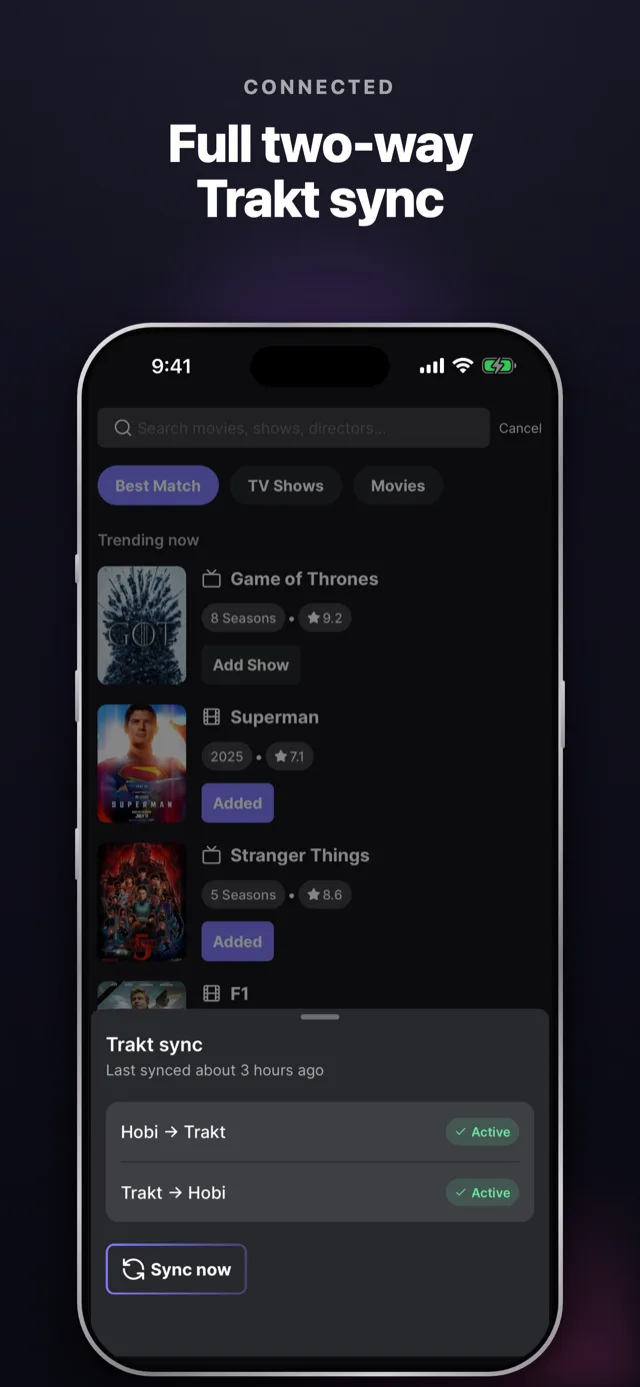
Hobi syncs in both directions:
- Trakt → Hobi: your existing watch history, watchlist and progress flow into Hobi.
- Hobi → Trakt: every episode you check off in Hobi lands in your Trakt profile.
Mark an episode watched in either place, and the other knows about it. No double bookkeeping.
Setting it up
- Open Hobi and head to settings, then choose Trakt Sync.
- Log in with your Trakt account and authorize Hobi.
- Pick your sync directions and frequency, from instantly to every day, for each direction separately.
That's it. First sync pulls your history in, and from then on it's automatic.
The part your battery will love
Here's the detail we're proud of: sync runs on Hobi's servers, not on your phone. Changes from Trakt are picked up server-side and delivered to the app, so staying in sync costs you exactly zero battery. Your phone doesn't poll anything in the background.
Tips
- If you're active on both platforms, set both directions to instantly, it's the "just works" configuration.
- If you mainly track in Hobi and treat Trakt as a backup, a daily Trakt → Hobi sync is plenty.
- The sync screen always shows when the last sync ran, so you can verify everything's current at a glance.