Every TV fan knows the feeling. You're three shows deep into a great run, a new season drops, life happens, and two months later you're staring at an episode list thinking: did I watch this one?
The old fixes are painful: rewatching half an episode to check, scrolling a wiki's episode table, or the classic "notes app with S03E07 typed in it." Here's a better system.
1. Track at the episode level, not the show level
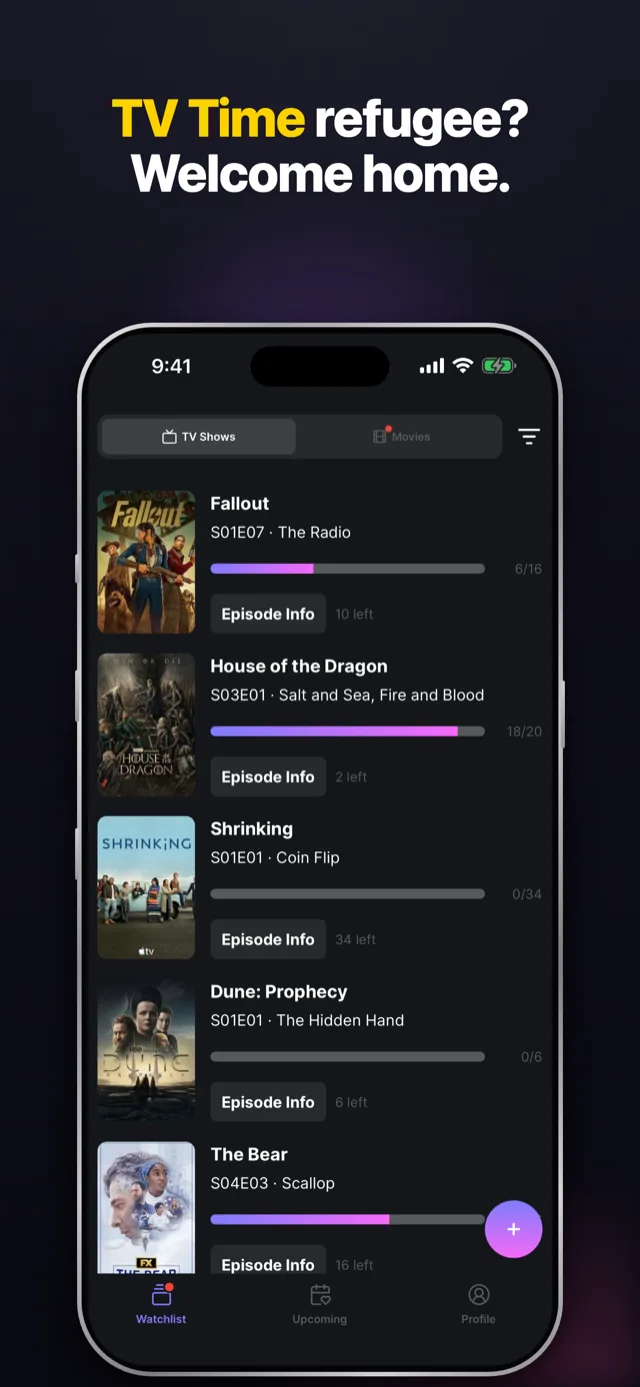
"I'm watching Severance" is not tracking. "I'm on S02E04" is. Hobi's watchlist gives every show a View Next button, so the answer to "what do I watch tonight?" is always one tap away, no memory required.
2. Check off episodes as you watch, not after
The system only works if it reflects reality. Make the check-off part of the ritual: episode ends, one tap, done. It takes a second and your future self will thank you.
3. Let countdowns handle the waiting
Half of "losing track" isn't forgetting what you watched, it's not knowing when a show comes back. Hobi counts down to every next episode and season premiere, and keeps a "waiting for release date" list for shows that haven't been scheduled yet. Premieres stop being surprises.
4. Turn on notifications for the shows that matter
You don't need a ping for everything. Pick the handful of shows you'd drop everything for, and let Hobi notify you the moment a new episode or season airs. Everything else can wait for your weekly scroll.
5. Keep one source of truth
Spreadsheet + notes app + memory = three sources of truth, which means zero. Put everything in one tracker. If you also use Trakt, connect it to Hobi and both stay in sync automatically, see our Trakt sync guide.
That's the whole system. Five habits, zero spreadsheets, and you'll never lose your place in a show again.